

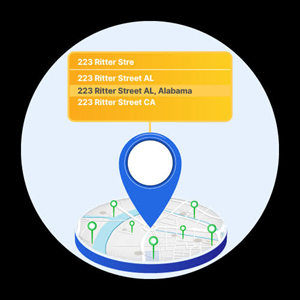
Most people have typed the first few letters of their street name into a form and watched a dropdown appear before they finished the word. That small moment, easy to miss because it works so well, is address autocomplete. It is one of the least glamorous features on the internet and also one of the most quietly important, sitting at the exact point where a customer either finishes a form or abandons it.
What it is doing under the hood
Address autocomplete predicts and completes a mailing address as someone types, matching partial input against a reference database of real, deliverable addresses, such as USPS records in the United States or Canada Post data in Canada. Rather than waiting for a full submission to check whether an address exists, the system validates it in real time, a few characters at a time, and offers a short list of likely matches. The person picks one, and the form fills in the street, city, state or province, and postal code automatically.
Underneath that simple dropdown is usually a combination of fuzzy matching, geographic indexing, and a ranking model that weighs things like how close a suggestion is to the user’s typed text and how likely certain address formats are in that region. Good implementations also correct for common typing patterns, like a transposed digit in a house number or a missing apartment designator, without making the user start over.
Why it matters more than it looks like it should
A few extra seconds on a form field does not sound like much, but address fields are a disproportionately common place for checkout and signup flows to lose people. Autocomplete addresses several problems at once:
- Fewer typos reach the database. Picking from a suggested list is far less error-prone than typing an entire address by hand, especially on a phone keyboard.
- Shorter forms, less friction. A single autocomplete field can replace separate street, city, state, and ZIP inputs, which means less typing and fewer fields for someone to abandon partway through.
- Lower failed-delivery rates. An address selected from a verified suggestion list is much more likely to be a real, deliverable location than one typed freehand, which cuts down on returned packages and undeliverable mail.
- Cleaner downstream data. Standardized, verified addresses are easier to work with later, whether that means shipping logistics, tax jurisdiction lookups, or simply not having five slightly different spellings of the same customer’s street in a database.
Where it shows up beyond checkout
E-commerce checkout is the most obvious use case, but it is far from the only one. Insurance quote forms use it to make sure a policy is written against a real property. Healthcare intake forms use it to keep patient records accurate for billing and correspondence. Banks and lenders use it during account opening, both for accurate mailing of statements and as one input into identity verification. Event registration, subscription signups, and delivery apps all lean on the same underlying idea: let the system do the typing once it has enough to work with.
What separates a good implementation from a mediocre one
Not all autocomplete is created equal. Some implementations only cover certain countries well, or fall back to nothing useful for rural addresses and PO boxes. Others suggest results so slowly that a fast typist blows past the dropdown entirely, or offer matches that are technically close but not actually deliverable. A solid implementation responds quickly enough that it never feels like it is catching up, handles international formats without forcing users into a country-specific mental model, and still lets someone override the suggestion and enter an address manually when they need to. The autocomplete should speed things up, not become a wall between the user and the one address they are actually trying to enter.
For teams building this into their own forms, the easiest path is usually an address autocomplete API that handles the matching and verification against postal data behind the scenes. PostGrid’s address verification API, for example, is often plugged into checkout and intake forms for exactly this kind of real-time suggestion and validation, so the engineering team does not have to maintain their own postal reference data.
The bottom line
Address autocomplete is a small piece of interface design that quietly protects a business from a surprising number of downstream problems: failed deliveries, bad data, and lost conversions. It is easy to overlook because when it works well, nobody notices it at all. That is really the whole point.